

Quickstart for src
Get started and run your first code search from the command line in 10 minutes or less.
Introduction
In this guide, you'll install the Sourcegraph CLI, src, connect it to your Sourcegraph instance, and use it to run a code search.
Installation
src is shipped as a single, standalone binary. You can get the latest release by following the instructions for your operating system below (check out the repository for additional documentation):
macOS
SHbrew install sourcegraph/src-cli/src-cli
or
SHcurl -L https://sourcegraph.com/.api/src-cli/src_darwin_amd64 -o /usr/local/bin/src
chmod +x /usr/local/bin/src
Linux
SHcurl -L https://sourcegraph.com/.api/src-cli/src_linux_amd64 -o /usr/local/bin/src
chmod +x /usr/local/bin/src
Windows
You can install using PowerShell as follows:
POWERSHELLNew-Item -ItemType Directory 'C:\Program Files\Sourcegraph'

Invoke-WebRequest https://sourcegraph.com/.api/src-cli/src_windows_amd64.exe -OutFile 'C:\Program Files\Sourcegraph\src.exe'

[Environment]::SetEnvironmentVariable('Path', [Environment]::GetEnvironmentVariable('Path', [EnvironmentVariableTarget]::Machine) + ';C:\Program Files\Sourcegraph', [EnvironmentVariableTarget]::Machine)
$env:Path += ';C:\Program Files\Sourcegraph'
For other options, please refer to the Windows specific src documentation.
Connect to Sourcegraph
src needs to be authenticated against your Sourcegraph instance. The quickest way to do this is to add SRC_ENDPOINT=https://YOUR-SOURCEGRAPH-INSTANCE to your shell environment, then run src login to launch OAuth authentication against your Sourcegraph instance.
OAuth login
src login supports interactive OAuth login, so you can sign in without creating or exporting SRC_ACCESS_TOKEN.
If you need to reuse the current src credential in another command, src auth token prints the raw token and src auth token --header prints a complete Authorization header for the active authentication mode.
PAT login
If you need non-interactive authentication, such as in CI or scripts, you can still create an access token in your Sourcegraph instance, then use SRC_ACCESS_TOKEN in the shell environment, along with SRC_ENDPOINT. In this case, src login is not necessary: src will use the PAT from the environment to authenticate against your Sourcegraph instance.
Run a code search
Searching is performed using the src search command. For example, to search for ResolveRepositories in the src repository, you can run:
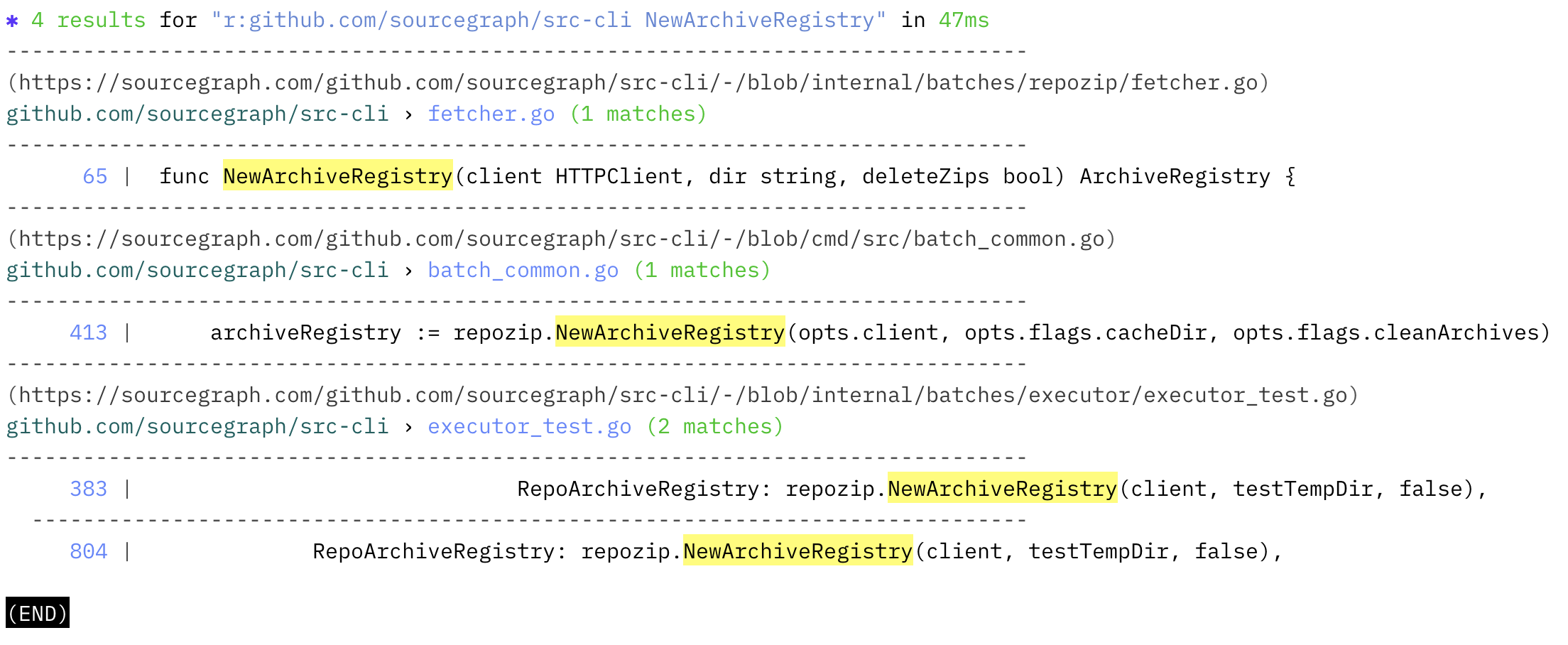
SHsrc search 'r:github.com/sourcegraph/src-cli NewArchiveRegistry'
This should result in this output:
Congratulations!
You've run your first search from the command line! 🎉🎉
You can now explore the range of commands src provides, including the extensive support for batch changes.
To learn what else you can do with src, see "CLI" in the Sourcegraph documentation.