

Inventory Stats
Learn about your project's inventory stats type of Code Insights.
An inventory stats code insight lets you track code inventory metrics such as file counts, lines of code, and language usage trends in your repositories. Sourcegraph Code Search Enterprise users can track these metrics across all repositories in their organization.
To create an inventory stats code insight:
- Navigate to the Code Insights tab from the Sourcegraph instance
- Click on the Create insight button
- Select Inventory Stats as the type of insight
- Choose your list of target repositories on which you want to perform an insight
- Next, pick the inventory metrics you want to track, like lines of code, file size, and file count
- Finally, add a title and granularity of the insight
- And click Create code insight once you are done
While configuring these fields, you can also see a live preview of the insight on the right side of the page.
After you have created the insight, you can view it on the Code Insights tab.
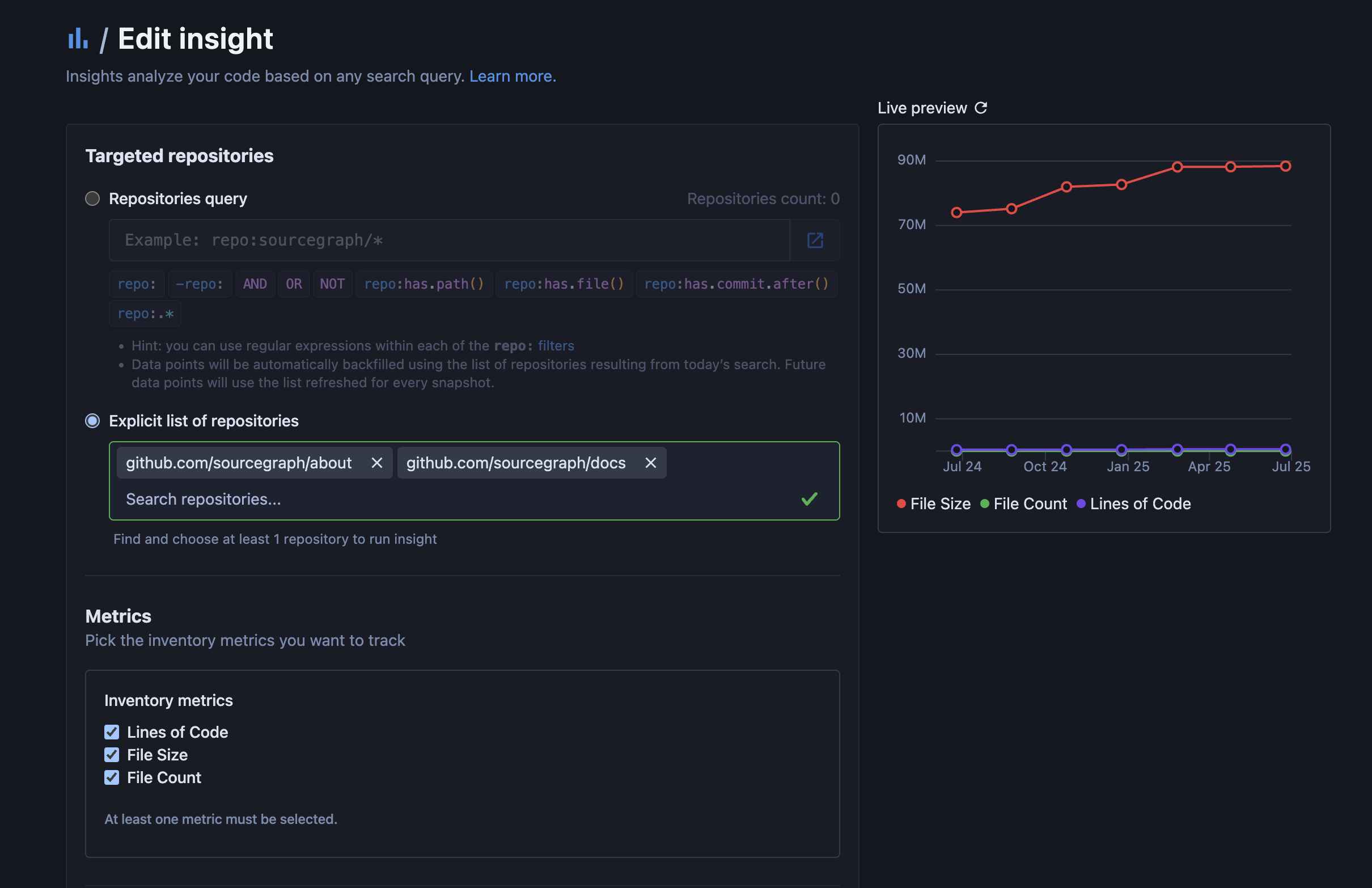
Now, you can perform all the actions you can on other Code Insights, such as editing, filtering, sharing, and deleting.
Inventory environment variables
Inventory environment variables have been moved into site configuration. This impacts any self-hosted customer using these environment variables. Cloud customers are not impacted by this change.
If you are a self-hosted Sourcegraph Enterprise user, we have moved the inventory environment variables into the inventory section of the Site configuration settings in your Site admin page.
Here's a list oI the Inventory environment variables and their new site configuration settings, with default values:
USE_ENHANCED_LANGUAGE_DETECTION==>"disableEnhancedLanguageDetection"- defaults to
false
- defaults to
GET_INVENTORY_GIT_SERVER_CONCURRENCY==>"gitServerConcurrency"- defaults to
4
- defaults to
GET_INVENTORY_REDIS_CONCURRENCY==>"redisConcurrency"- defaults to
20
- defaults to
GET_INVENTORY_MAX_INV_IN_MEMORY==>"maxInventoryInMemory"- defaults to
1000
- defaults to
GET_INVENTORY_TIMEOUT==>"timeoutInMinutes"- defaults to
5
- defaults to
Here's an example of the site configuration section:
JSON"inventory" :  {
  "disableEnhancedLanguageDetection": false,
  "gitServerConcurrency": 4,
  "redisConcurrency": 20,
  "maxInventoryInMemory": 1000,
  "timeoutInMinutes": 5
}
To accommodate default values in your Site configuration vs. environment
variables, the positive USE_ENHANCED_LANGUAGE_DETECTION env var has been
changed to the negative disableEnhancedLanguageDetection.
There is a new environment variable for managing worker resources when processing Inventory insights:
JSONINSIGHTS_INVENTORY_BATCH_SIZE
This environment variable controls the number of repositories to process in a single batch for inventory insights in the code insights worker. It affects memory usage while processing repos. Lower number is less memory used. It does not affect the speed of the process.